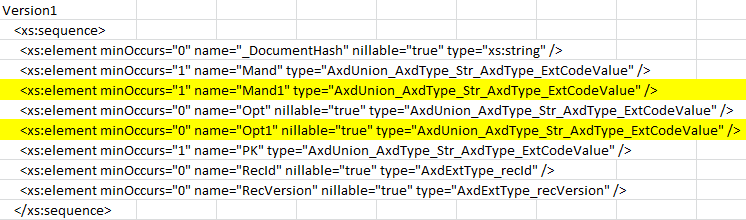
The COM Business Connector (COM.BC) is a legacy component from the Axapta (before Dynamics Ax) product that is at his end of lifecycle. Nevertheless is still used by many customers and still supported from Microsoft for Ax4 and Ax2009. In most of the time it is still used in applications that were already running with Axapta3. With the COM.BC and Ax4 and Ax2009 there is no need to change the code that was written for the the COM.BC from Axapta3, but the installation and the setup for the COM.BC changed. So here is how to install and configure the COM.BC for Ax4 and Ax2009:
The installation process for the COM.BC is described on msdn. This has to be done explicitly outside of the default setup-process in a command-promt with administrator authorizations (run as admin):
D:\Setup.exe HideUI=1 AcceptLicense=1 AcceptLicenseTerms=1 InstallComBusinessConnector=1
(modified the 24/06/2010) : The argument is called AcceptLicenseTerms and not AcceptLicense as descibed on the msdn page. (Thanks Stefan :-) )
As a COM+ component this isn’t registered as a DCOM component during the setup as this was done on Axapta 3. The setup of the COM+ component can be done after the installation with the Component Services administration tool or by scripts (VBScript or Power Shell). The administration tool is described with details on technet.
Here’s a short description on how to configure the COM.BC with the administration tool. Just follow the screenshots:

Choose any meaningful name:
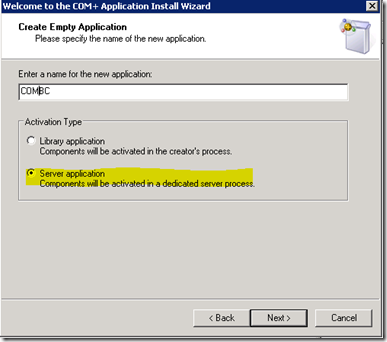 Configure the proxy-user as the application identity.
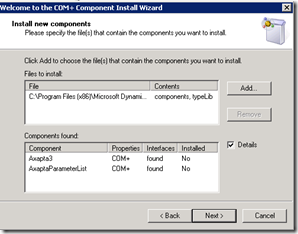
 and then continue without with the defaults to the end of the wizard.

 The AxCOM.dll is installed in the local client directory.

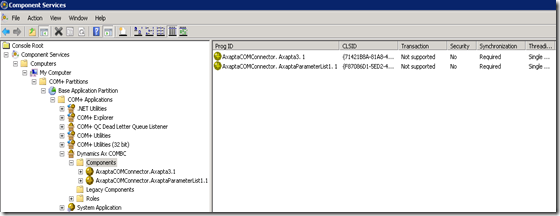

Now it comes to the configuration of the security settings of the COM+ application. On msdn the article about Access Checks contains the following very interesting note:
Note As of Windows Server 2003, access checks are enabled by default when creating a COM+ application. Access checks are enabled by default at the application level and disabled by default at the component level. Previously, access checks were disabled by default at the application level and enabled by default at the component level.
So depending of your operation system you have to deactivate this setting explicitly.

This has to be deactivate for asp-applications, because the authentication of asp-application is done on an application level and not by the IIS. The IIS authenticates the user as anonymous and therefore the thread that executes the request will run under the user that is configured as anonymous user. This is by the default the IUSER_Machinename and this user hasn’t the privileges to call a COM+ application.
If you want to activate the access check nevertheless, you need to configure the application user identity as proxy user and not the IUSR. With IIS7 this is done here:
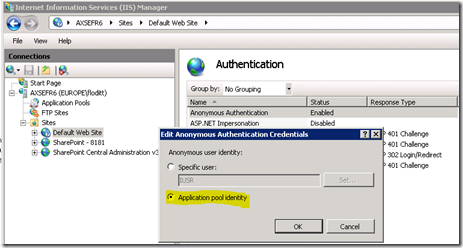
With the IIS the proxy user has to be configured manually:

Now the role-based security for COM+ can be used. This is not described in this article since this goes far beyond of the subject of this article.